Film screen content that doesn’t just play - it works
The interfaces, apps and screens visible in film, series and cinema productions. We build them as real programs you can trigger live on set - believable down to the detail, offline and crash-proof.
Why our screen content is different
Real programs, not video loops
A filmed video is rigid - it doesn’t react. Our screen content is a real program: the actor types, clicks, hits a key on cue, and the action actually runs. That’s the difference between believable and embarrassing.
Believable down to the code
No Hollywood gibberish, no random characters. Real code, plausible interfaces, correct terminology. Experts in the audience should nod, not roll their eyes.
Controllable live on set
On set the actor or an operator triggers the action on cue - the animation, login or download starts at exactly the right moment. No timing gamble with a pre-rendered clip.
Offline & crash-proof
Runs as a standalone program with no internet, no login, no update pop-up at the wrong moment. What’s on set works - even when the Wi-Fi won’t.
Playable video games - without licensing trouble
When a character plays a game on screen it gets legally tricky: real games mean trademark and licensing questions that must be cleared before the shoot. Instead we build a custom game that is genuinely playable - the actor controls it live, and the rights stay with the production.
Not just monitors - the tablet in someone’s hand
A prop doesn’t have to blink. Sometimes the screen content is simply a document on a tablet that a character marks up during the take. That is what we built the CAZ Setmappe for: an Android app you load your own paperwork into straight from a USB stick on the tablet. The document keeps its format, no controls are visible, and it is wiped clean for the next take in a second.
Any genre, any domain
Hacking and cyber security, digital forensics, biometrics, medical devices, finance terminals, sci-fi interfaces, surveillance. We research the domain and build the right look.
Built around shooting schedules
Schedules shift, lead times are short. We deliver fast, fold in changes on set and stay reachable when it counts.
From script scene to screen
Briefing & script
We read the scene: what role does the screen play, what must the viewer understand, what action does the actor perform?
Concept & look
We design the interface to match the film’s visual language - colours, type, pace. Multiple variants on request.
Build as a controllable program
We build the screen content as a real program with defined cue points - reproducible across any number of takes.
Handover & set support
We hand over a ready-to-run package, explain the cues and stay reachable during the shoot for on-set tweaks.
Six pieces you can start yourself
Four of these run right in the browser - two of them react to you: in the live coding terminal your keystrokes trigger the code streams, and in the CAZ Setmappe you page through the documents and draw the red line yourself.
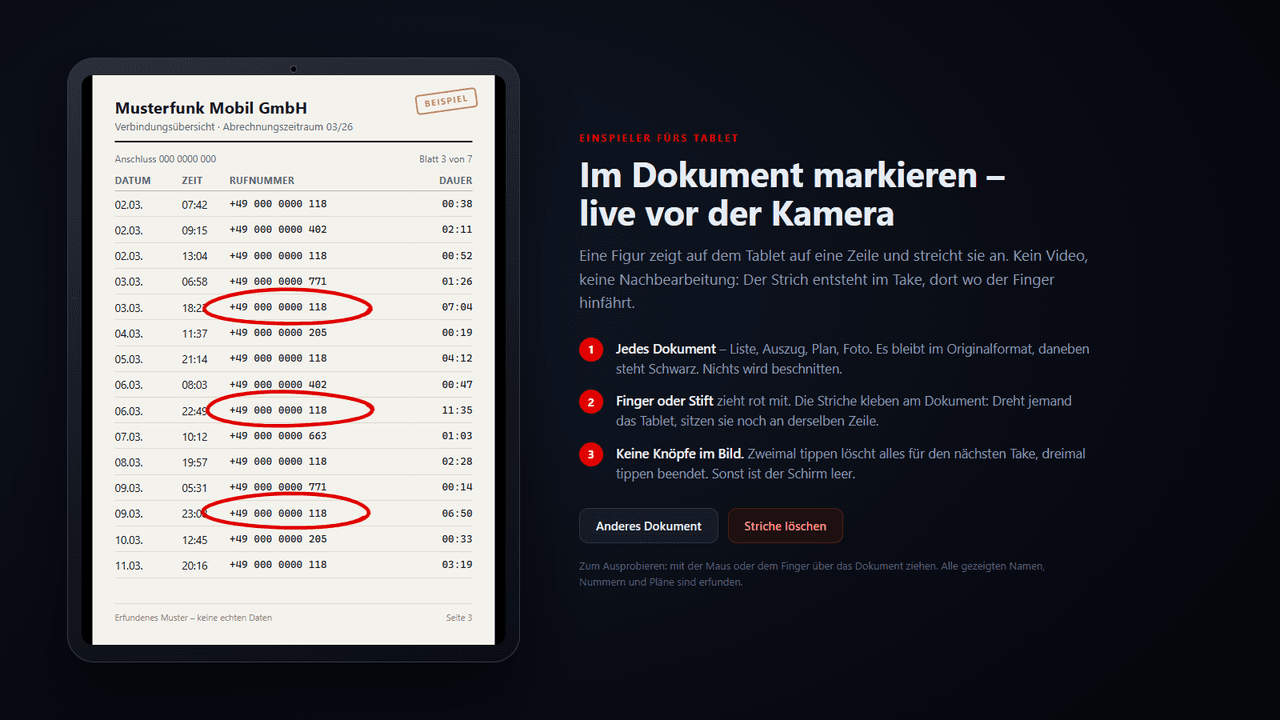
CAZ Setmappe - documents on the tablet
The red mark is made live in the take, by finger or stylus
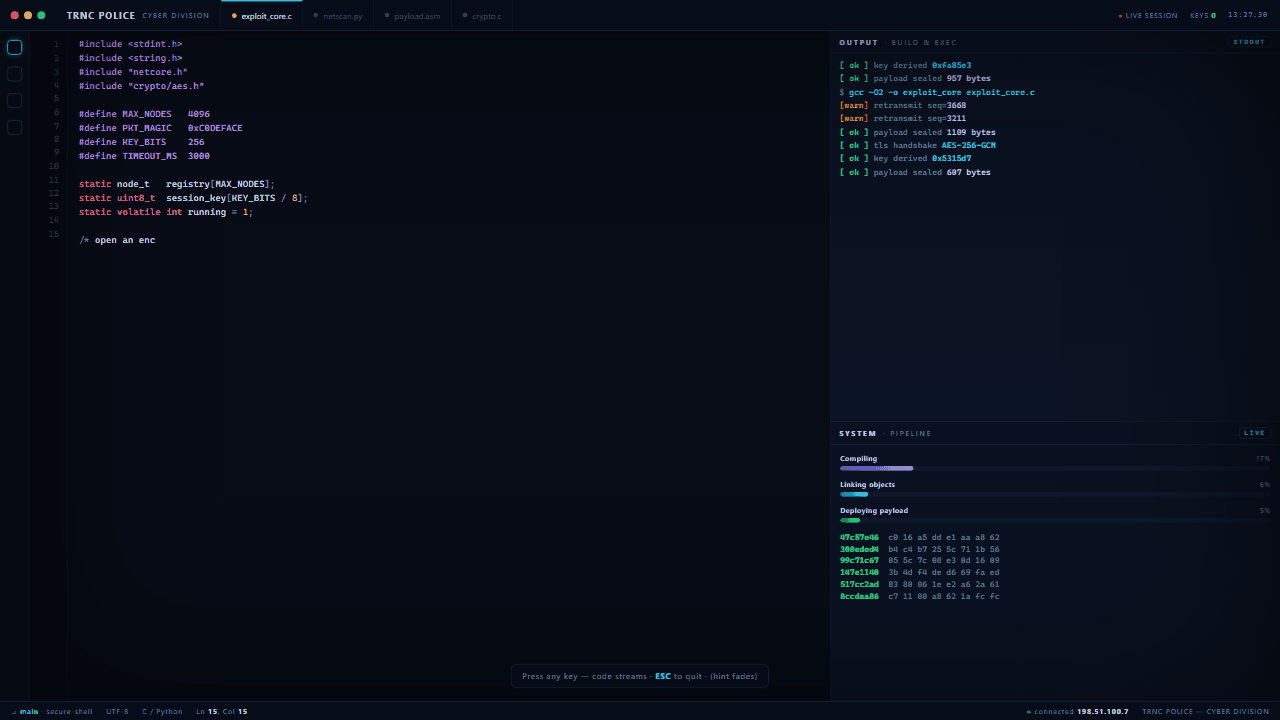
Live Coding Terminal — interactive intro
Responds live to keyboard input — any keys trigger code streams
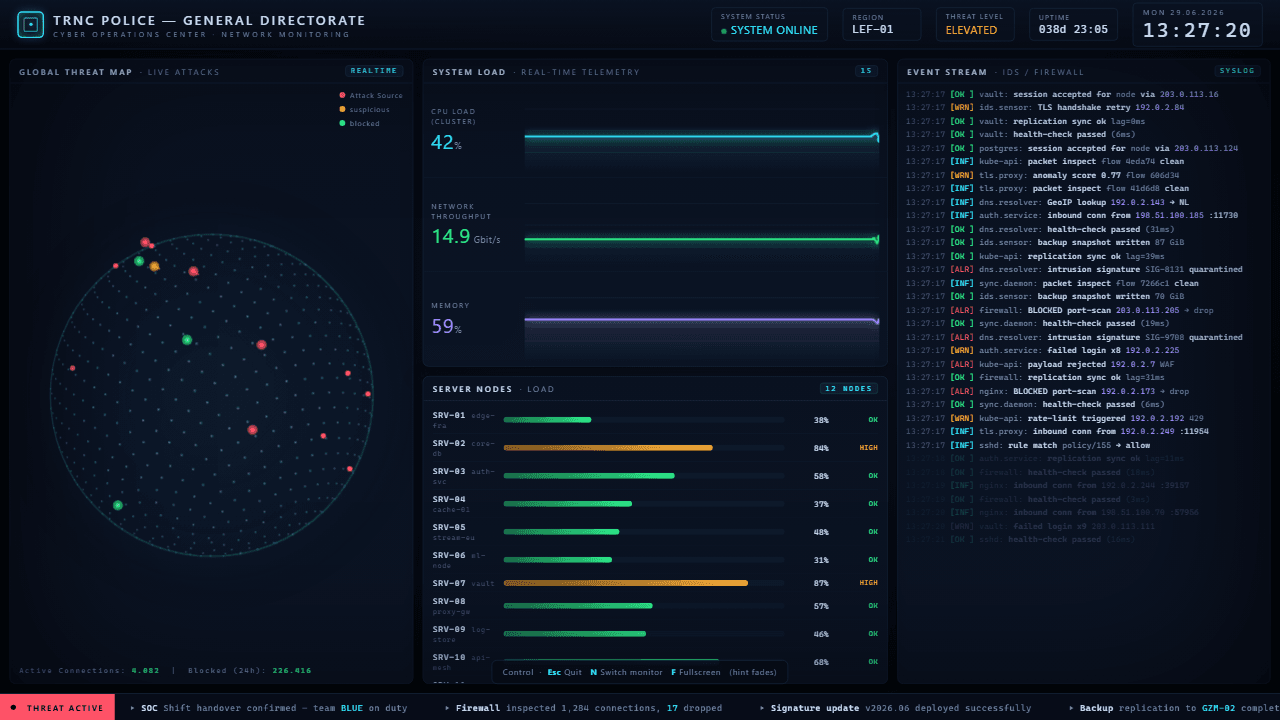
Cyber Operations Center — Film Intro
Real-time dashboard: status, threat level, region radar
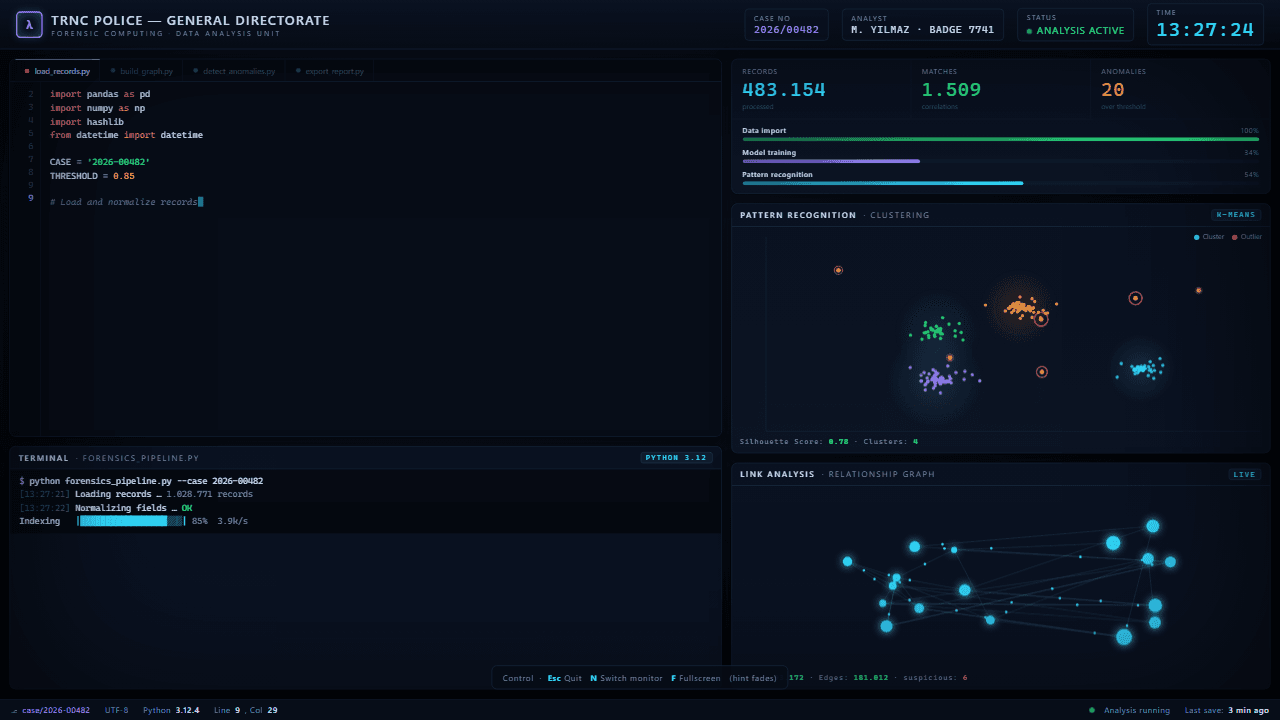
Forensic Computing — Film Intro
Animated Python analysis console
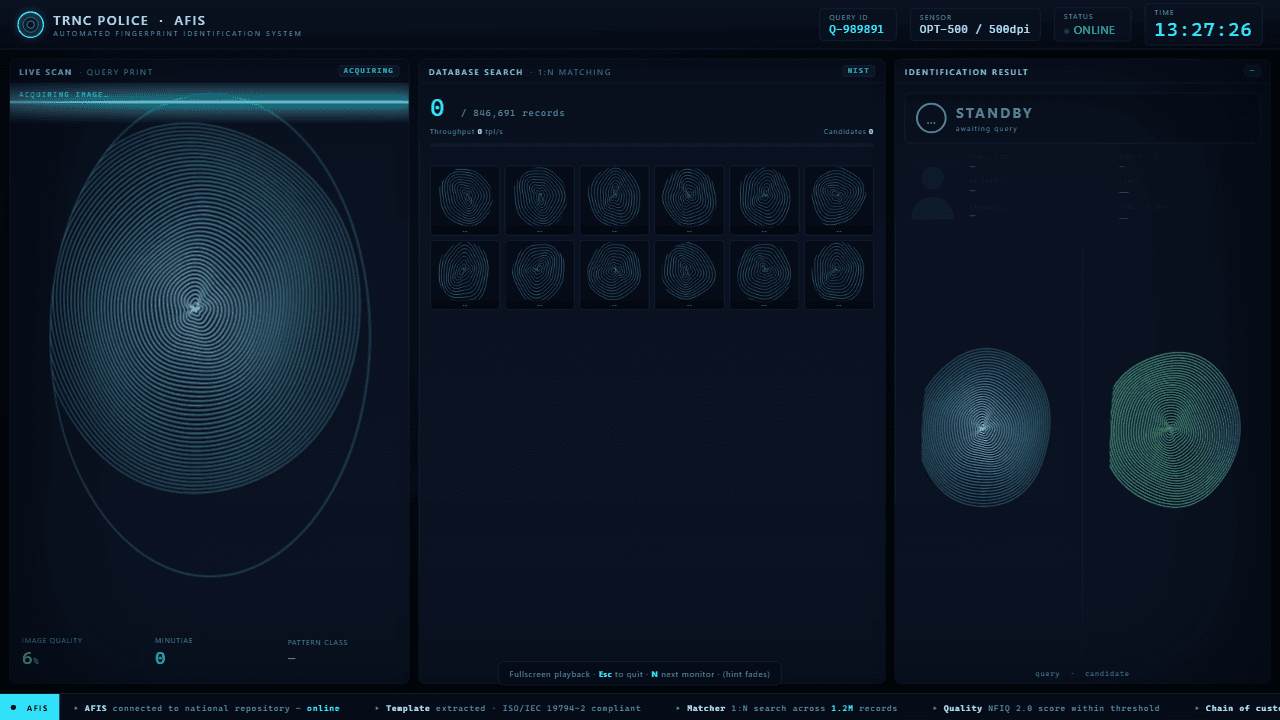
Biometric Identification (AFIS) — Film Intro
Animated live scan of a fingerprint
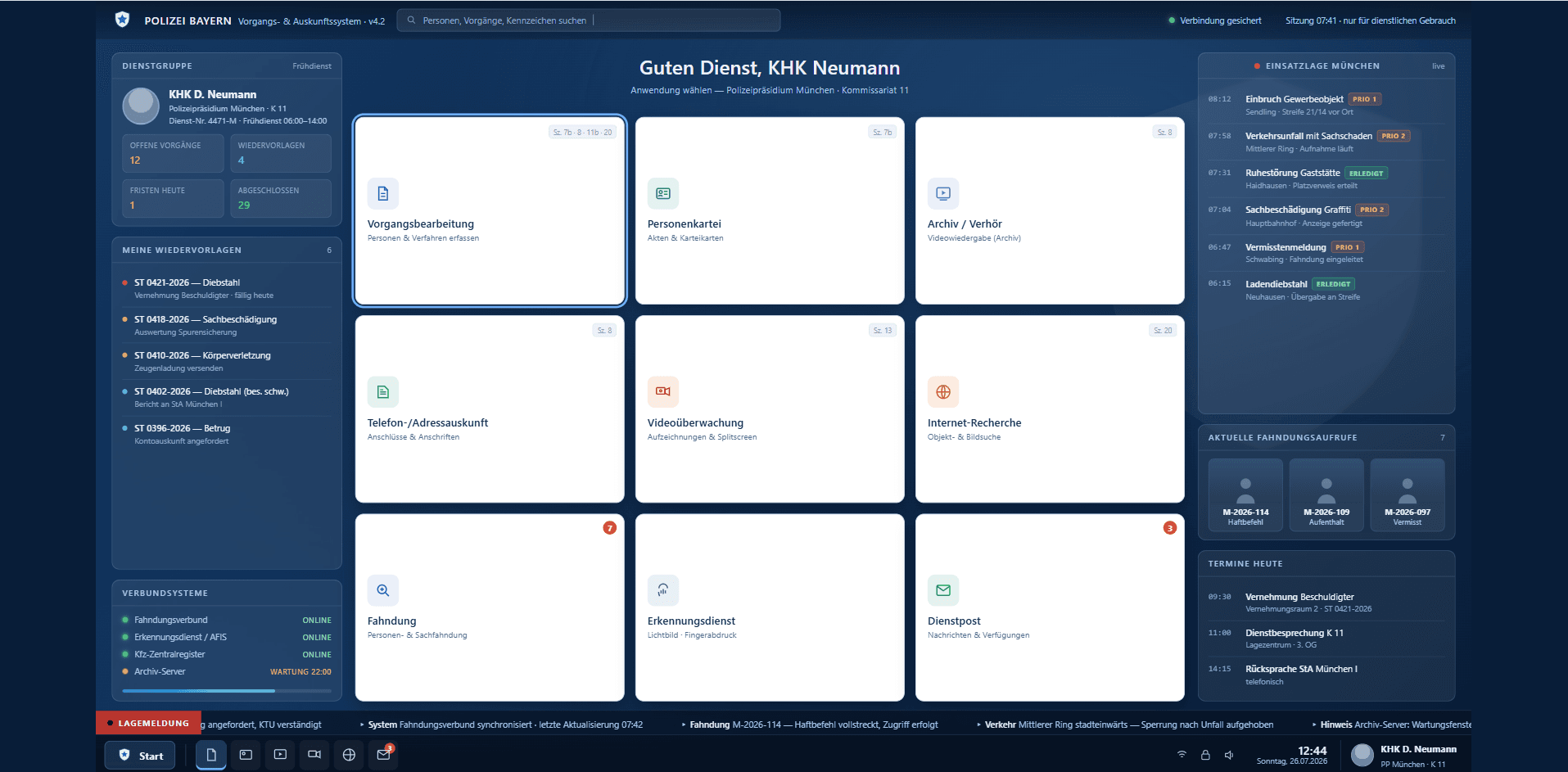
Police System for a TV Series
Complete police system as one offline-capable .exe
Software and hardware from one source
This is what sets us apart: we don’t just build the screen content in the shot, we also supply the full on-set tech through our partner Servus Medientechnik - monitors, touchscreens, outdoor displays, LED walls up to 130 inches, prop devices and more. Getting both at this scale is rare.
Screens that carry the scene
Tell us about your production and the scene. We’ll show you how to make the screen believable and controllable.
Frequently asked questions
Screens that carry the scene
Tell us about your production and the scene. We’ll show you how to make the screen believable and controllable.